

Ninja Spins App for Australian Players
Table of contents
Ninja Spins doesn't require a download — the casino runs entirely through your phone's browser, so there's no app store listing to search for. Open the site on Android or iOS, log in or register, and the full pokies, live dealer and table game library loads exactly as it does on desktop. This page covers how to set up quick mobile access, what's available on a phone screen, and how registration and login work when you're away from a computer.
🥷 Is There a Ninja Spins App?
There's no native app to install from Google Play or the App Store. Ninja Spins is built as a responsive browser platform instead, which means the entire site — lobby, cashier, account settings — reshapes itself automatically for a phone or tablet screen. You lose nothing by skipping a download: every pokie, live table and banking option on the desktop site is present on mobile too.
This approach has a practical upside. Browser play means no storage taken up on your device, no manual updates to install, and no need to worry about app compatibility when you switch phones. Log in from any browser, on any device, and your account, balance and game history are exactly where you left them.
Adding Ninja Spins to Your Home Screen
You can still get an app-like shortcut without an actual download. On most Android phones, open the site in Chrome, tap the menu icon, then choose the option to add the page to your home screen — this drops an icon that opens straight into the casino lobby. On iPhone, open the site in Safari, tap the share icon, then select the add-to-home-screen option.
Once that icon is sitting on your home screen, tapping it launches the browser site in a clean, full-screen view with no address bar cluttering the top. It behaves like a dedicated app for day-to-day play, while still updating automatically every time the underlying site changes — no version to keep track of.
Mobile Browser vs Native App
| Aspect | Ninja Spins Mobile Browser |
|---|---|
| Download required | None — opens directly in Chrome, Safari or any mobile browser |
| Storage used | None, since nothing installs on the device |
| Updates | Automatic, with no version to install manually |
| Home screen access | Available via browser's add-to-home-screen option |
| Game library on mobile | Full range, including pokies, live dealer and crash games |
| Login method | Same email and password as desktop, with optional two-factor code |
| Compatible devices | Any Android or iOS phone or tablet with a modern browser |
How to Set Up Mobile Access
Follow these steps to get Ninja Spins running smoothly on your phone in a couple of minutes.
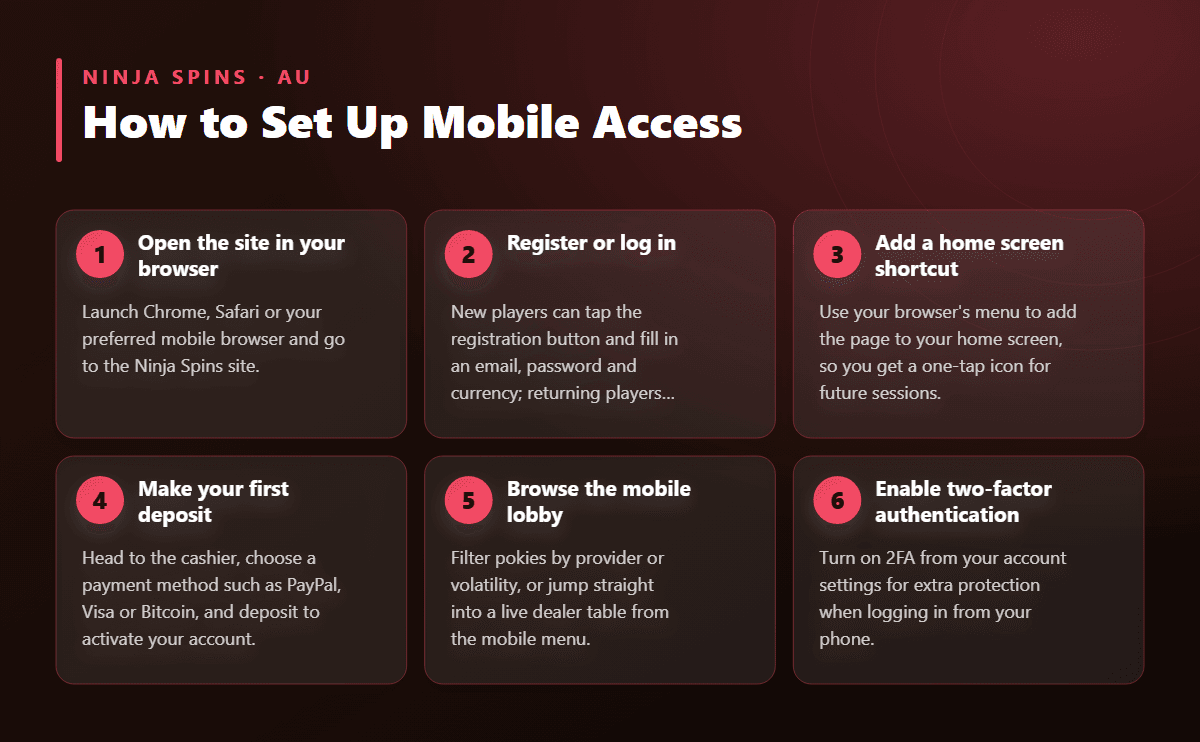
- Open the site in your browser Launch Chrome, Safari or your preferred mobile browser and go to the Ninja Spins site.
- Register or log in New players can tap the registration button and fill in an email, password and currency; returning players just log in with their existing details.
- Add a home screen shortcut Use your browser's menu to add the page to your home screen, so you get a one-tap icon for future sessions.
- Make your first deposit Head to the cashier, choose a payment method such as PayPal, Visa or Bitcoin, and deposit to activate your account.
- Browse the mobile lobby Filter pokies by provider or volatility, or jump straight into a live dealer table from the mobile menu.
- Enable two-factor authentication Turn on 2FA from your account settings for extra protection when logging in from your phone.
What Loads on Mobile
The mobile browser carries the full catalogue of more than one thousand five hundred real-money titles. Pokies like Moon Princess 100, 15 Dragon Pearls, Jack & the Beanstalk, Legacy of Dead and Big Bass Bonanza all run smoothly on a phone screen, with touch controls replacing mouse clicks for spinning and adjusting bet size.
Live dealer tables powered by Evolution Gaming are also fully playable on mobile — you can join blackjack, roulette or baccarat with a real dealer streaming directly to your phone. Crash-style games such as Crash Rocket Dice and Balloon load quickly too, since they're built for fast, lightweight play. Demo mode works on mobile for most pokies and table games, so you can test a title before switching to real-money play.
Registering and Logging In From Your Phone
Signing up on mobile takes the same short path as on desktop. Open the site in your browser, tap the registration button, and fill in an email address, a password and your preferred currency — Australian dollars is the default for AU players. Confirm the activation email from your phone's inbox and your account is ready.
Logging back in works the same way every time: open the browser (or your home screen shortcut), tap the login button, and enter your email and password. If you've enabled two-factor authentication, you'll be asked for a code from your authenticator app before your dashboard loads, showing your balance and recent play history.
Mobile Banking and Support
Cashier functions are identical on mobile to desktop. Deposits and withdrawals through Visa, Mastercard, Maestro, PayPal, Skrill, Neteller, Bitcoin and Ethereum are all available from your phone's browser, and the minimum deposit sits at ten dollars across every method. Withdrawals to e-wallets typically land within a day, while bank transfers and crypto payouts can take up to three business days.
If you're claiming the welcome bonus on your first deposit, it applies automatically on mobile too — no promo code needed, and the same wagering terms carry over whether you played on a phone or a laptop. Live chat support is reachable directly from the mobile menu if you run into any questions mid-session.