

Ninja Spins Registration: Step-by-Step Sign-Up Guide
Table of contents
Signing up at Ninja Spins takes only a few steps: enter your email, create a password, choose A$ as your currency, then confirm the account from your inbox. The welcome bonus activates automatically on your first qualifying deposit, so there's no code to remember. Full identity verification only comes into play once you request your first withdrawal.
Registering at Ninja Spins
Follow these steps to open an account and reach your first deposit.
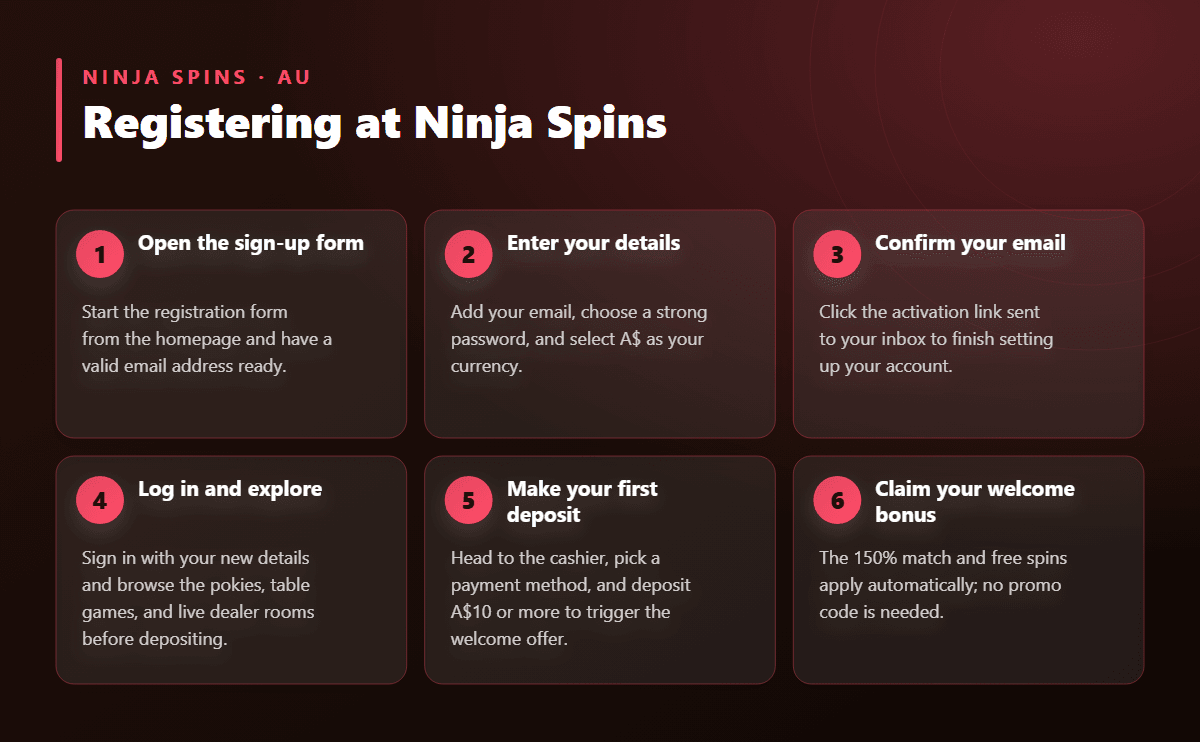
- Open the sign-up form Start the registration form from the homepage and have a valid email address ready.
- Enter your details Add your email, choose a strong password, and select A$ as your currency.
- Confirm your email Click the activation link sent to your inbox to finish setting up your account.
- Log in and explore Sign in with your new details and browse the pokies, table games, and live dealer rooms before depositing.
- Make your first deposit Head to the cashier, pick a payment method, and deposit A$10 or more to trigger the welcome offer.
- Claim your welcome bonus The 150% match and free spins apply automatically; no promo code is needed.
- Complete verification when withdrawing Upload your ID and supporting documents the first time you request a withdrawal.
What You Need to Register at Ninja Spins
The sign-up form on Ninja Spins keeps things short. You'll be asked for a valid email address, a password you'll use to log in going forward, and your preferred currency, which should be set to A$ (AUD) from the start since this locks in how your balance, deposits, and withdrawals are displayed. A phone number isn't required at this stage.
You don't need to upload anything during this first step. Full identity documents are only requested later, once you're ready to withdraw winnings, which keeps the initial sign-up quick.
- Valid email address, used for account confirmation and support
- A password that mixes letters, numbers, and symbols
- Currency selection, set to A$ for Australian players
Verification Documents at a Glance
| Document | What It Confirms | When It's Requested |
|---|---|---|
| Photo ID (driver's licence or passport) | Your identity and age | Before your first withdrawal |
| Proof of address (utility bill or bank statement) | Your residential address | Alongside your photo ID |
| Payment method proof (card screenshot or e-wallet statement) | Ownership of your funding method | If you deposited by card or e-wallet |
| Confirmation email link | Account activation | Right after you register |
Confirming Your New Account
After submitting the form, check your inbox for a confirmation email from Ninja Spins. Clicking the link inside activates your account and lets you log in for the first time. If the email doesn't appear quickly, check your spam or promotions folder before requesting a new one.
Once confirmed, you can add an extra layer of security by turning on two-factor authentication through an authenticator app. It's optional, but it means a code from your phone is needed alongside your password every time you log in.
Verification (KYC) and the Documents You'll Need
Ninja Spins doesn't ask for identity documents at sign-up. Verification is triggered the first time you request a withdrawal, and it's designed to be quick: most submissions are reviewed within a day on business days, provided the files are clear and match the details on your account.
You'll typically be asked to provide:
- A government-issued photo ID, such as a driver's licence or passport
- A recent utility bill or bank statement showing your name and address
- Proof that you own the payment method you used, such as a card screenshot with the middle digits hidden, or an e-wallet transaction record
Submitting sharp, fully visible scans the first time around is the easiest way to avoid a back-and-forth with support. For a closer look at how deposits and withdrawals are processed once you're verified, see the payment methods guide.
Who Can Open an Account
Registration is open to players aged 18 and over who can provide accurate personal details matching their identity documents. Each player is permitted one account; creating a second with different details can hold up verification and any pending withdrawal. Entering your real name, date of birth, and address at sign-up, rather than placeholder information, saves time later on.
Claiming Your Welcome Bonus After Signing Up
Once your account is confirmed, the welcome offer is ready to go: a 150% deposit bonus up to A$2,000, plus 50 free spins on Moon Princess 100 and 15 Dragon Pearls. No promo code is needed; it attaches automatically to your first deposit of A$10 or more.
Bonus funds carry a 50x wagering requirement, and while that's playing out, single bets are capped at A$5 so the balance stretches across more sessions. The offer stays open for 30 days from the moment you claim it, which is plenty of time to work through eligible pokies and table games. Full details on contributions and eligible games are on the welcome bonus page.
Common Registration Mistakes to Avoid
- Entering a name or date of birth that doesn't match your ID, which delays later verification
- Choosing the wrong currency and having to contact support to correct it
- Letting the confirmation email sit unread, so the account stays inactive
- Waiting until a withdrawal is urgent before submitting verification documents
- Uploading blurry or cropped photos of identity documents