

Ninja Spins Login: Access Your Account on Any Device
Table of contents
Logging in to Ninja Spins takes seconds whether you're on a desktop browser or a mobile phone, since the platform runs entirely without a downloadable app. This guide walks through the sign-in process step by step, covers what to do if your password slips your mind, and explains the quick fixes for the login hiccups players run into most often.
Logging In on Desktop or Mobile
Ninja Spins doesn't require a native app, so the login process is identical no matter which device you're holding. Open the site in any modern browser - Chrome, Safari, Firefox or Edge all work - and click the sign-in button in the top corner of the screen. Enter the email address and password you used during registration, and you're through to your dashboard.
Because the platform is fully responsive, the mobile browser experience mirrors the desktop one almost exactly. There's no separate mobile site to hunt for and no app store download to wait on; the login form resizes automatically to fit a phone or tablet screen. If you haven't set up an account yet, the registration page walks through creating one in a few short steps before you ever need to log in.
Players who've turned on two-factor authentication will see one extra prompt after entering their password - a one-time code generated by an authenticator app. It adds a few seconds to the process but makes unauthorised access far less likely.
Forgotten Password? Here's How to Get Back In
Misplacing a password is common enough that Ninja Spins builds an easy recovery path right into the login screen. Click the "Forgot Password" link below the sign-in fields, enter the email address tied to your account, and a reset link lands in your inbox shortly after. Following that link lets you set a fresh password without needing to contact support at all.
A few habits make recovery smoother next time. Use a password manager so you're not relying on memory, choose a passphrase that's long rather than complicated, and avoid reusing a password from another gambling or banking site. If the reset email doesn't appear within a few minutes, check your spam or promotions folder before trying again - email providers sometimes misfile automated messages.
Once you're back in, it's worth confirming your account still shows the correct currency and that any active bonus balance carried over untouched. Nothing about a password reset affects your wagering progress or your welcome offer's expiry window.
Login Options at Ninja Spins
| Login Method | Devices Supported | App Required | Security Layer |
|---|---|---|---|
| Desktop browser login | Windows, Mac, Linux | No | 128-bit SSL encryption |
| Mobile browser login | Android, iOS | No | 128-bit SSL encryption |
| Password reset | Any device with email access | No | Email verification link |
| Two-factor authentication | Any device with an authenticator app | No | Rotating one-time code |
How to Log In to Ninja Spins
Follow these steps to reach your dashboard from any computer or phone.
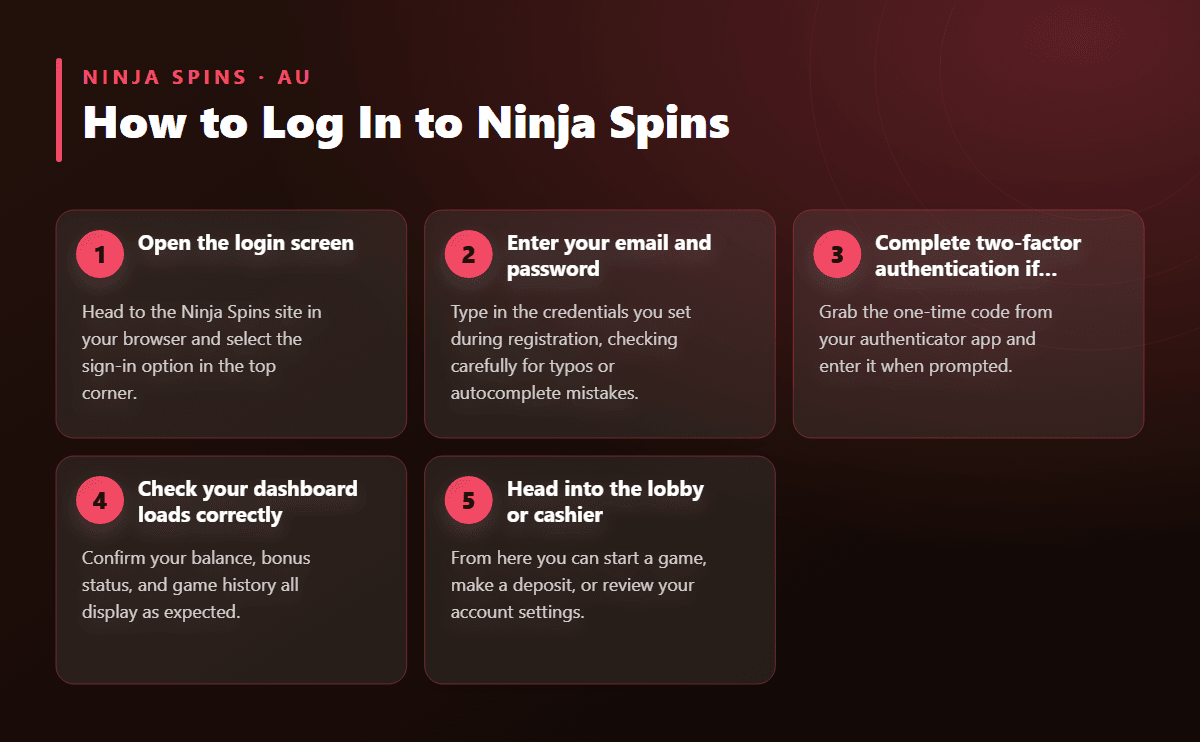
- Open the login screen Head to the Ninja Spins site in your browser and select the sign-in option in the top corner.
- Enter your email and password Type in the credentials you set during registration, checking carefully for typos or autocomplete mistakes.
- Complete two-factor authentication if enabled Grab the one-time code from your authenticator app and enter it when prompted.
- Check your dashboard loads correctly Confirm your balance, bonus status, and game history all display as expected.
- Head into the lobby or cashier From here you can start a game, make a deposit, or review your account settings.
Common Login Problems and How to Fix Them
Most sign-in trouble falls into a handful of predictable categories, and nearly all of them have a quick solution.
- Wrong email or password: double-check for autocomplete errors, extra spaces, or a caps lock left on by accident before requesting a reset.
- Account not yet verified: new accounts need the confirmation email actioned first; look for it in your inbox right after signing up.
- Two-factor code expired: authenticator codes refresh every few seconds, so generate a new one rather than reusing an old screenshot.
- Browser cache conflicts: clearing cookies or trying a private/incognito window resolves most stuck loading screens.
- Multiple failed attempts: repeated incorrect logins can temporarily lock a session as a protective measure; a short wait or a password reset clears it.
If none of these apply, live chat support is the fastest way to get a human to look at the specific error on screen rather than guessing from a general list.
Keeping Your Account Secure
Every login session on Ninja Spins runs over 128-bit SSL encryption, meaning the data travelling between your device and the server stays unreadable to anyone trying to intercept it. That protection applies whether you're logging in from a home computer or a public wifi connection, though a private network is always the safer bet for entering payment details.
Turning on two-factor authentication is the single biggest security upgrade available at login. Once it's active, even someone with your password alone can't get into your account without the rotating code from your authenticator app. Pair that with a unique password you don't use elsewhere, and your login is about as locked down as it can get.
Account verification, triggered the first time you request a withdrawal, adds another layer of protection by confirming the person logging in matches the identity on file. Review times are fast, and the process rarely causes delays when the documents submitted are clear and current.
What You'll See the Moment You're Logged In
Your dashboard loads straight after login and shows your current balance, any active bonus status, and recent game history at a glance. From there it's a short click to the cashier, the game lobby, or your account settings - everything stays organised in one place rather than scattered across separate pages.
If you've got a welcome offer sitting on your account, the dashboard will flag it clearly so you know how much bonus balance remains available and which pokies count toward clearing it. The welcome bonus page breaks down exactly how that offer works if you want the full terms before you start spinning.
From the logged-in lobby you can jump straight into featured titles like Moon Princess 100, 15 Dragon Pearls, or Jack & the Beanstalk, open a live dealer table, or head to the cashier to top up your balance. Everything that was available before login - demo play, game browsing - is still there, just now paired with real balances and full access to withdrawals once verification is complete.
Logging In While Travelling or Switching Devices
Players who move between a home computer, a work laptop, and a phone don't need to do anything special to keep access consistent. Ninja Spins ties your account to your email and password rather than to a specific browser or device, so signing in from a hotel laptop or a friend's tablet works exactly the same way it does at home. The dashboard, balance, and any bonus progress stay identical no matter where you log in from.
The one habit worth building when using a shared or public computer is logging out properly once your session ends, rather than simply closing the browser tab. Clearing the login state stops anyone else who uses that device afterwards from landing on your dashboard. Combined with two-factor authentication, this makes shared-device play considerably safer without adding any real friction to your own routine.
If you travel frequently and rely on different wifi networks, it's also worth keeping your email account itself secured with its own strong password and recovery options, since password reset links for Ninja Spins always route through that inbox.
Tips for a Smoother Login Every Time
A handful of small habits cut down almost all login friction before it starts. Saving your credentials in a reputable password manager removes the guesswork of remembering an exact combination of characters, and it autofills correctly even when a browser update changes how saved passwords are handled. Bookmarking the official login page directly, rather than searching for it each time, also avoids the risk of landing on a lookalike page by mistake.
Keeping your browser updated matters more than most players realise. Older browser versions sometimes struggle with modern encryption standards, which can show up as a login page that loads slowly or fails to submit the form correctly. A quick browser update usually resolves this without needing to contact support at all.
Finally, if you've recently changed your email provider or switched phone numbers linked to two-factor authentication, update those details in your account settings before you actually need them. Sorting this out ahead of time means a lost phone or an old inbox never turns into a locked-out account when you're ready to play.